

Table of Content
Your smartphone fits in your pocket and your smartwatch wraps around your wrist. Two decades ago, this level of miniaturization would have required some serious engineering gymnastics, if it was possible at all.
System-on-Chip technology made it happen by consolidating what used to require multiple separate chips onto a single piece of silicon. In digital signage, SoC has basically eliminated the need for external media players in most installations.
The global SoC market is projected to reach USD 324.7 billion by 2033, pointing towards a future where SoC displays will be the most practical choice in deployments that don’t require heavy processing power or specialized hardware.
This guide walks you through what SoC technology is and what it means for digital signage deployments, which platforms work best for different applications, and how to decide between integrated displays and external media players.
What Is a System on Chip?
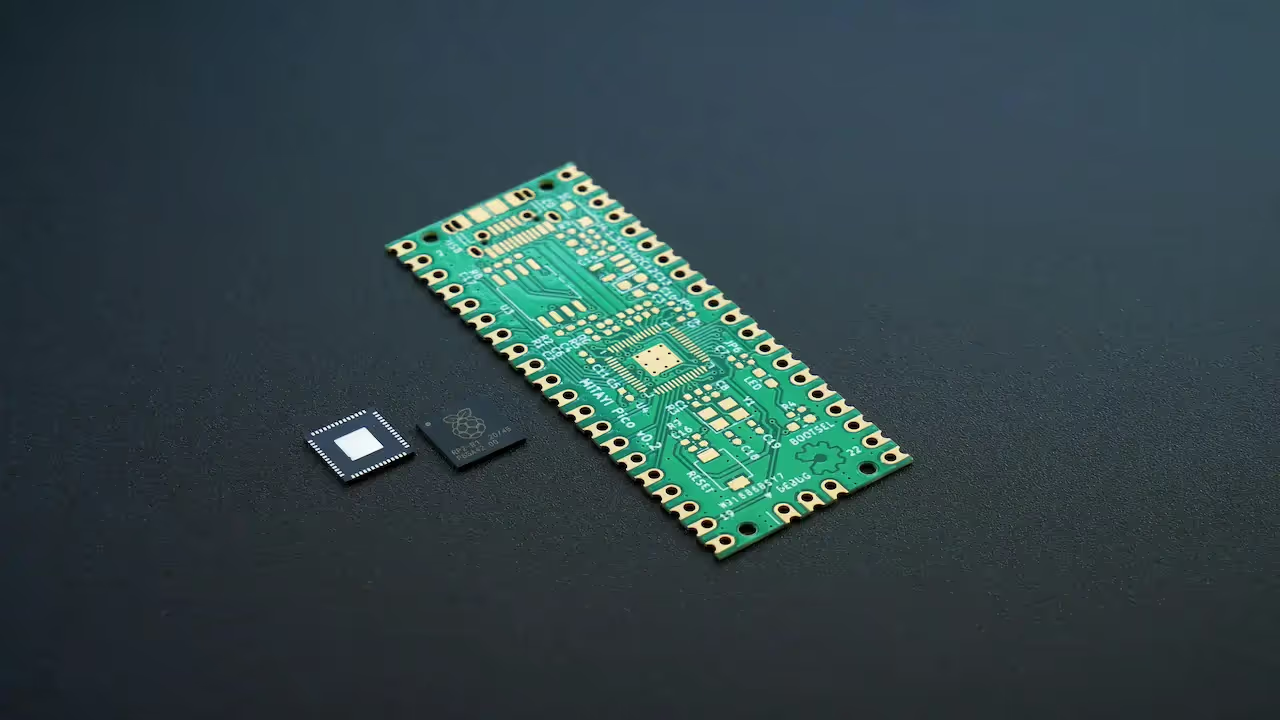
A System on Chip (SoC) is an electronic system that integrates the CPU, GPU, memory controllers, and other components into a single piece of silicon, instead of being distributed across a circuit board. When components sit millimeters apart instead of centimeters, signals travel faster, and you eliminate a lot of the complexity that comes with connecting discrete components.
For digital signage specifically, this architectural enhancement enables displays to have computing power built right in without requiring external media players.
The technology isn't exactly new. ARM was building System-on-Chip designs back in the early 1990s for Acorn computers. But the commercial viability for digital signage really took off in the last decade as manufacturing costs dropped and performance improved enough to handle 4K video and modern web content.

The Components of a System on Chip
Understanding what's actually inside an SoC helps explain why this approach works so well for digital signage. Not every component matters equally, but the main pieces determine whether your displays will handle your content reliably or struggle.
The Processing Cores
Every SoC needs at least one processor core, though modern implementations usually pack in several. These cores can be microcontrollers, microprocessors, DSPs, or application-specific processors. Different types are optimized for different tasks.
Digital signage SoCs typically run quad-core or octa-core processors these days. One core might decode your video stream while another handles the network connection, and a third manages the user interface. This parallel processing approach keeps everything running smoothly, even when you're displaying multiple content zones on a single screen.
Interestingly, the processor type matters less than you'd expect for basic signage applications.
A quad-core ARM processor running at 1.5GHz handles most menu boards, corporate communications, and retail displays without breaking a sweat. You only start caring deeply about processor specs when you get into video walls, heavy interactivity, or 4K content running at high frame rates.
Graphics Processing
The GPU renders videos, images, animations, and transitions between content pieces, all of which run through the graphics processor.
For digital signage, GPU capability directly impacts how smooth your content looks and how much you can display simultaneously. A weak GPU stutters on transitions or drops frames during video playback. Not a good look when you're trying to project a professional image.
Commercial displays from LG and Samsung typically include GPUs that can handle multiple 1080p video streams or a single 4K stream reliably.
Memory Systems
SoCs include several types of memory. RAM for active processing, ROM for firmware storage, and usually some flash storage for content caching. The memory controller manages data flow between all these components and the processor cores.
For digital signage, memory capacity determines how much content you can cache locally.
Most commercial SoC displays include somewhere between 1 and 4GB of RAM and 8 to 32GB of storage. You can run into limits with very large video files or complex HTML5 content, but standard deployments rarely hit those ceilings unless someone's trying to play uncompressed 4K video or build a ridiculously complex web application.
The industry has settled into these specs partly because they're adequate and partly because pushing beyond them increases costs without providing much practical benefit for typical use cases.
Connection Points
External interfaces connect your SoC to the outside world. USB ports, HDMI, Ethernet, wireless modules. These aren't technically part of the SoC itself, but they're integrated into the same package.
Digital signage displays typically include Ethernet for reliable network connectivity, Wi-Fi, though most professional installers prefer wired connections, USB ports for manual content updates or peripheral devices, HDMI input for external sources when needed, and RS232 or other control protocols for integration with building management systems.
One trend worth watching is the gradual shift toward more networked control and less reliance on physical ports. Cloud management is pushing this direction, though we're not at the point where you can completely eliminate local connectivity options.
Power Management
SoCs include voltage regulators and power management circuits that control how much energy the system consumes. Better power management translates directly to lower operating costs and less heat generation. Less heat means longer component lifespan and reduced cooling requirements.
Commercial SoC displays typically consume between 50 and 150 watts, depending on screen size and brightness settings.
The power management also controls features like automatic power scheduling and low-power standby modes. Most commercial displays can turn themselves on and off based on schedules, dropping to minimal power consumption overnight without any manual intervention. Simple feature, but it makes a difference in total energy costs.
Signal Processing
Digital signal processors handle specialized tasks that general-purpose CPUs aren't optimized for. Video decoding, audio processing, image enhancement. These operations run much more efficiently on dedicated DSP cores.
DSPs are often included on SoCs to perform signal processing operations without taxing the main processor. For digital signage, this means smoother video playback and better image quality, even when the CPU is handling other tasks simultaneously.

Leading SoC Platforms for Digital Signage
All things considered, the commercial display industry is dominated by Samsung with its Smart Signage Platform, LG with webOS, and the various Android implementations. Of course, there are other manufacturers putting out SoC displays, but these three control the vast majority of installations you'll see in the field. Let’s look at them in detail.
LG webOS
LG took webOS, which had a pretty interesting journey from Palm to HP and eventually to LG's TV division, and adapted it for commercial displays.
WebOS 4.0 and later versions run on LG's custom quad-core SoC. The platform handles 4K content without much struggle, supports HTML5 natively, and the management interface is actually intuitive.
webOS is built for 24/7 operation. The hardware includes proper thermal management, the firmware prioritizes stability over flashy features, and the whole system is designed around the assumption that it'll run continuously for years without rebooting.
LG has also been good about maintaining backward compatibility. Displays from several years ago still receive firmware updates and work with current CMS versions. That longevity matters for installations where you can't justify replacing hardware every few years.
Samsung Tizen
Samsung's approach with Tizen and their Smart Signage Platform (SSSP) follows a similar strategy to LG, but they've segmented their product line more aggressively. The QHC series targets high-brightness outdoor applications, QMC handles standard commercial installations, QBC covers budget deployments. Each tier uses different SoC configurations with varying levels of processing power and memory.
Tizen 4.0 and newer handle the same basic workload as webOS. Video playback, web content, custom applications. The practical differences come down to interface preferences and ecosystem considerations more than fundamental technical capabilities.
Samsung has the market share advantage, so you get better third-party support, more integrators familiar with the platform, and a robust ecosystem of compatible software and accessories.
Android SoC Displays
Android is where things get interesting because you're not dealing with a single manufacturer controlling both hardware and software. Multiple chip vendors compete in this space, each bringing different strengths.
Amlogic builds SoCs focused specifically on multimedia performance. Their chips handle high-resolution content and smooth 4K playback, which is essential for menu boards, promo loops, and retail displays. Amlogic is widely used in smart TVs, streaming boxes, and digital signage players, and is regarded as a leading multimedia SoC vendor.
Rockchip takes the cost-performance approach. You'll find their SoCs in budget and mid-range displays where the goal is getting acceptable performance at a lower price point. Nothing wrong with that strategy. Not every installation needs flagship specs, and Rockchip delivers reliable performance for standard signage applications. However, some newer Rockchip models compete more closely with higher-tier options, but results can vary depending on firmware quality and the manufacturer’s integration.
The Android advantage is flexibility and choice. You can install custom apps, integrate with existing Android infrastructure, and choose from multiple hardware vendors. You’re less locked into a single manufacturer’s ecosystem, and you can switch to new Android hardware vendors over time without rebuilding your entire software stack.
What to Look for When Choosing SoC Displays
Processor and RAM: Quad-core at 1.2GHz minimum for standard apps, octa-core for video walls. 2GB RAM for basic signage, 4GB for complex content.
Storage: 8GB handles simple playlists with images. 16GB or more if you're caching video or running HTML5 applications.
Video Codec Support: H.264 is universal. H.265/HEVC is ideal for 4K content. AV1 support is still rare but becoming relevant.
Network Connectivity: Gigabit Ethernet should be standard, though many still ship with 100Mbps. WiFi is convenient, but wired tends to be more reliable.
Operating Hours Rating: 16 hours daily minimum, ideally 24/7 rated.
Platform Compatibility: Check what CMS works with the platform. Look Digital Signage supports LG webOS, Android, and very soon Samsung Tizen.
Tip for Look users:
SoC displays often have limited storage and processing headroom. Look’s local caching, proof-of-play verification, remote monitoring, and automatic alerts help ensure reliability even on lower-power SoC hardware. The CMS also includes 300+ templates and content creation tools so you can build lightweight, high-performing playlists without pushing the device to its limits.
How Digital CMS Works With SoC Displays
Content management systems or digital signage software connect to SoC displays over the network.
You start by installing the CMS client on your display. For Look Digital Signage, this means downloading the app from LG's Content Store, Samsung's SSSP store, or Google Play Store, depending on your platform. The installation process takes a few minutes and doesn't require any particular technical expertise.
The client establishes a connection to your CMS server. This can be cloud-hosted or run on your own on-premise infrastructure, depending on your security requirements and preferences. Once connected, the display registers itself with the system and waits for instructions.
Once the configuration is complete, you can start creating and deploying content through the CMS dashboard. For instance, once you log in to your Look digital signage account, you get access to 300+ pre-designed templates that you can customize using the built-in content creator tool. From there, you assign content to playlists, set up schedules, organize displays into screen groups, and use live preview to check everything looks right before hitting publish. That publish command pushes your content to all 100 displays across 50 locations simultaneously.
And you don't have to worry about lost connectivity interrupting your signage. Look Digital Signage caches your content locally on each display, so everything keeps playing even during network outages. When the connection comes back, the display syncs up and pulls down any updates you made while it was offline.
SoC in Digital Signage: When It’s the Right Choice
SoC displays shine in environments where reliability, low maintenance, and simple deployments matter more than raw processing power. They’re ideal for menu boards, corporate comms, retail promos, and standard informational screens.
They fall short when you need:
- multi-screen video walls
- heavy interactive or 3D/HTML5 experiences
- custom peripherals or sensors
- advanced hardware integration
Look supports both approaches—SoC and external players—so you can mix hardware types in one network with unified monitoring, scheduling, and proof-of-play reporting.
Even with all its advantages, SoC technology in digital signage hits a wall when you need serious processing power. Video walls with frame synchronization across multiple displays, heavy interactive applications with real-time rendering, and complex HTML5 content that taxes the GPU. These applications still need external media players with dedicated processing capabilities.
SoC Displays vs External Media Players
Here is a side-by-side comparison:
Frequently Asked Questions About SoC Technology
Can you upgrade an SoC display?
Not really, no. The processing power, memory capacity, and functional capabilities you get at purchase are what you're working with for the entire life of the display. Some manufacturers release firmware updates that improve performance or add features, but you can't physically swap out the SoC for a newer model like you could replace a media player.
How long do SoC displays last?
Commercial SoC displays are typically rated for 50,000 to 100,000 hours of operation. That translates to roughly 5 to 11 years of continuous 24/7 use under ideal conditions. Actual lifespan depends heavily on operating conditions, brightness settings, and environmental factors like temperature and humidity.
Are SoC displays more reliable than external media players?
Generally, yes, because this is especially important when you manage dozens or hundreds of screens across locations. Fewer devices mean fewer power supplies that might die, fewer cables that might come loose, and fewer connection points that might develop problems.
Do all digital signage displays use SoC technology?
No, not at all. Many displays are still basic screens that require external media players to function. But SoC displays are becoming more common, especially in commercial installations where simplified deployment and reduced failure points matter more than maximum flexibility.
Making the Right Choice for Your Digital Signage
How many screens are you managing right now? And how much time do you spend each month dealing with hardware issues instead of growing your business?
If you're constantly troubleshooting failed media players or dealing with cable problems, SoC displays will eliminate those headaches entirely. But if your content demands more processing power than integrated chips can't deliver, you already know external players are necessary.
The decision makes itself when you're honest about your deployment reality and budget constraints. Once you know what hardware fits your needs, the next step is finding a CMS that works seamlessly across whatever platform you choose.
Look Digital Signage works across major SoC displays – start your free trial





