
Table of Content
How can transit agencies keep passengers informed and safe while reducing manual work? Bus digital signage solves this by replacing static paper maps with dynamic screens that update in real-time. By connecting vehicles to a cloud-based platform, you can share live arrival times, safety alerts, and revenue-generating ads from anywhere, improving the rider experience instantly.
Beyond simple scheduling, digital signage turns public transport into a responsive communication channel. Whether you need to display a live route map inside a shuttle or run location-based ads at a bus shelter, this technology helps you modernize your fleet. It transforms a passive wait into an engaging experience, helping you keep your screens running with relevant content while streamlining operations.
What is Bus Digital Signage?
Key components and technology used
Bus digital signage relies on three main elements: rugged hardware, cloud-based software, and connectivity. The hardware typically includes high-brightness LCD or LED screens designed to withstand vibration and changing outdoor lighting. These are driven by media players that handle content rendering and data processing.
The core of the system is the software, such as a cloud-based Content Management System (CMS). This is where Look Digital Signage excels, offering a centralized dashboard to manage your entire fleet. Look DS allows you to create screen layouts, update playlists, and monitor device health remotely. Crucially, it features offline playback, ensuring your content keeps playing reliably even when the bus enters a tunnel or a dead zone where internet connectivity drops.
Where bus digital signage is installed
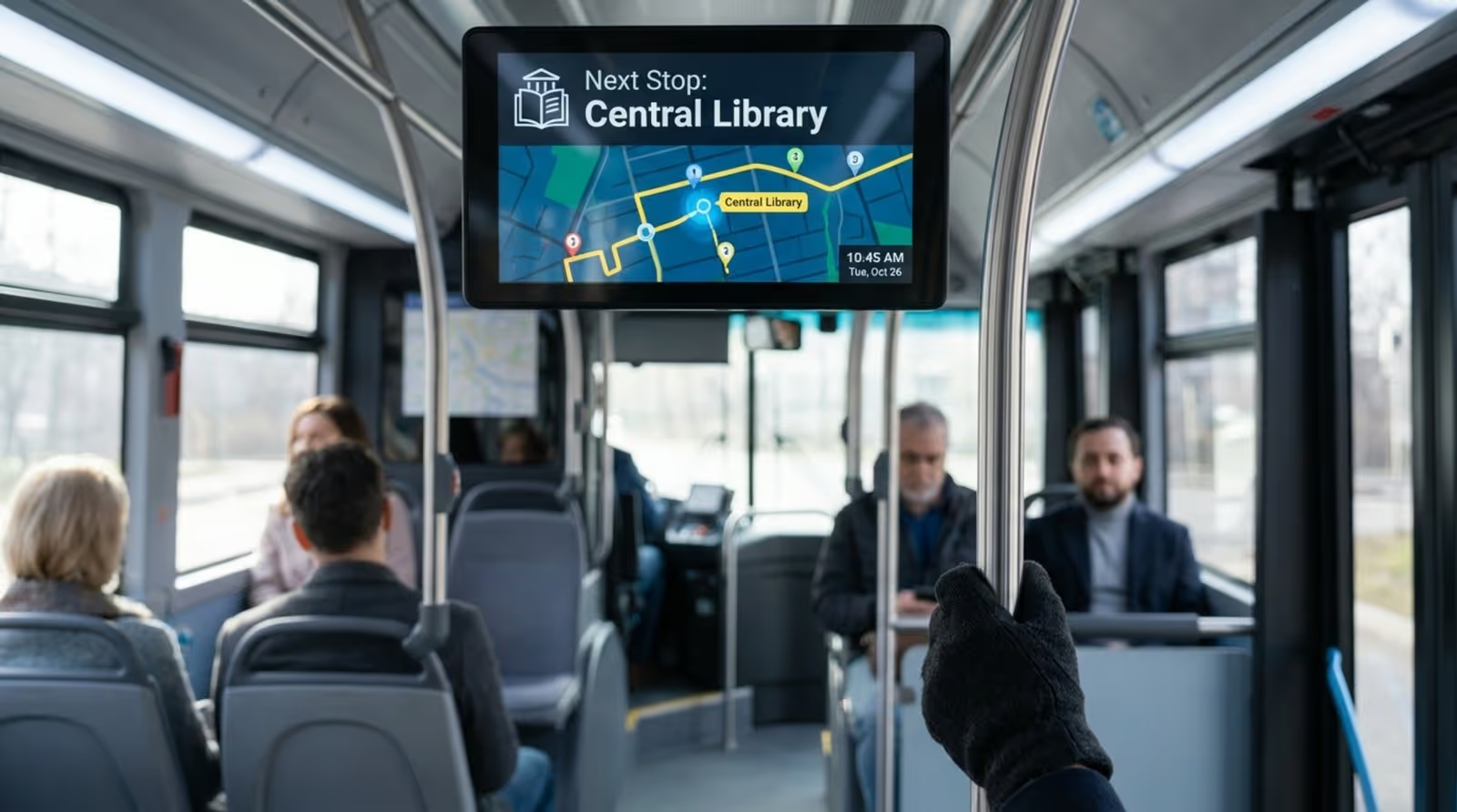
Because digital displays are versatile, they fit into various points of the passenger journey. On the bus exterior, LED destination signs inform people on the street of the route number and next stop. Inside the vehicle, screens mounted behind the driver or on ceilings display stop-by-stop progress, safety info, and infotainment.
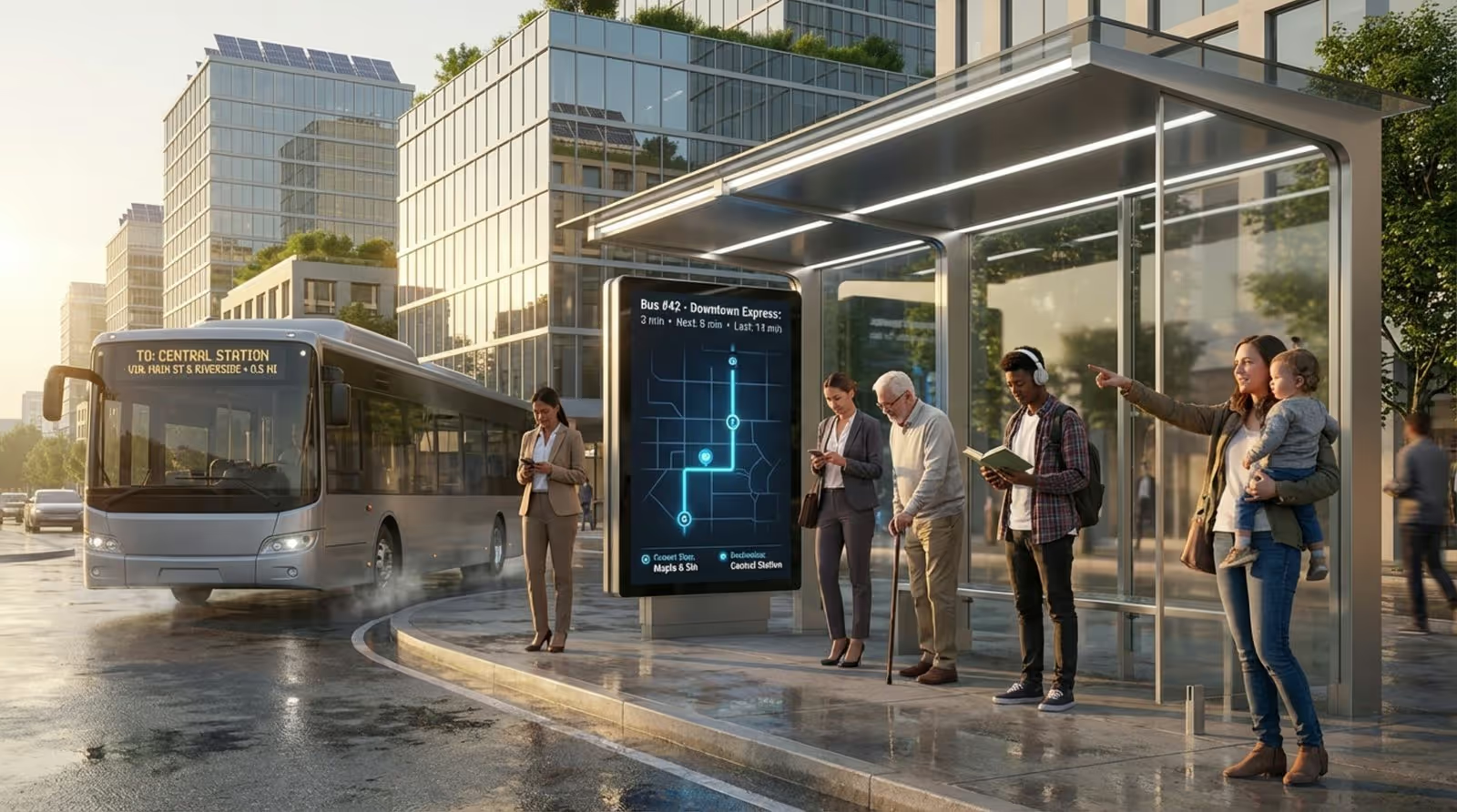
Installations also cover the wider transit network. Bus shelters and terminals use kiosks and overhead screens to manage crowds. These stationary displays serve as a central information hub, allowing riders to check status updates without needing to download a mobile app.

Difference between onboard and bus stop digital signage
While the technology is similar, the purpose differs based on location. Onboard signage focuses on the current trip experience. Its primary job is reassurance-confirming the rider is on the right bus and signaling the next stop. Content here is often a mix of route progress and safety reminders.
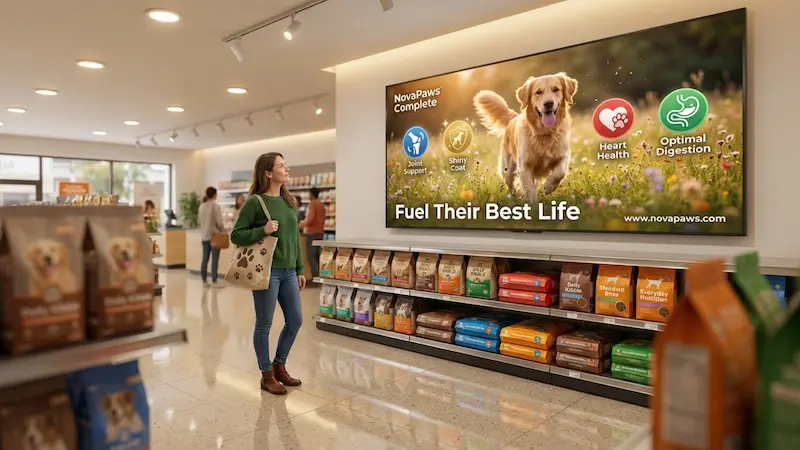
Bus stop or shelter signage is designed to manage the wait. These screens answer the critical question: "When will my bus arrive?" They focus on countdown timers and system-wide service alerts. Since passengers at stops have more dwell time, these displays are also ideal for longer-form ads and community announcements.
How Bus Digital Signage Improves Transportation
Better passenger experience through real-time updates
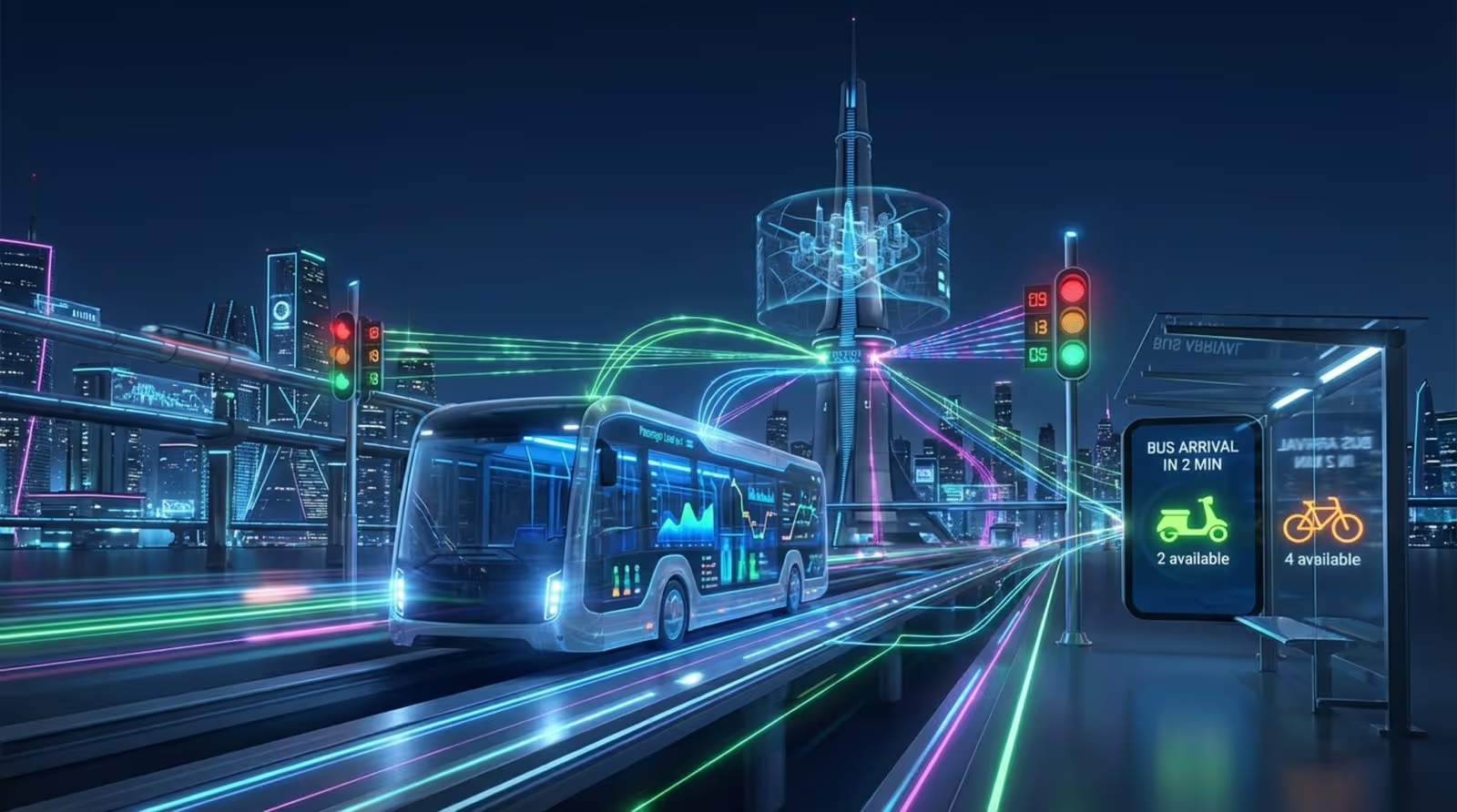
Uncertainty is a major friction point for public transit. Digital signage solves the "ghost bus" issue by displaying live, GPS-backed updates. Seeing a countdown timer adjust in real-time builds confidence in the system. This level of transparency makes public transit a stronger competitor to ride-sharing services.
Real-time capabilities also allow for rapid responses to disruptions. If road work or an accident forces a detour, you can update screens across the city in minutes. Instead of leaving passengers confused by a paper schedule, digital screens provide clear, immediate guidance on alternative routes.
Improves wayfinding and navigation assistance
Navigating a complex transit network can be intimidating for tourists or new residents. Digital signage simplifies this with visual clarity. Dynamic maps can highlight the current leg of the journey, making the route easier to understand at a glance.
Navigation support extends to the "last mile." Kiosks at terminals can display local area maps featuring landmarks, transfer points, or bike-share stations. This helps riders view the bus service as part of a connected ecosystem rather than an isolated trip.
Supports multilingual information and accessibility
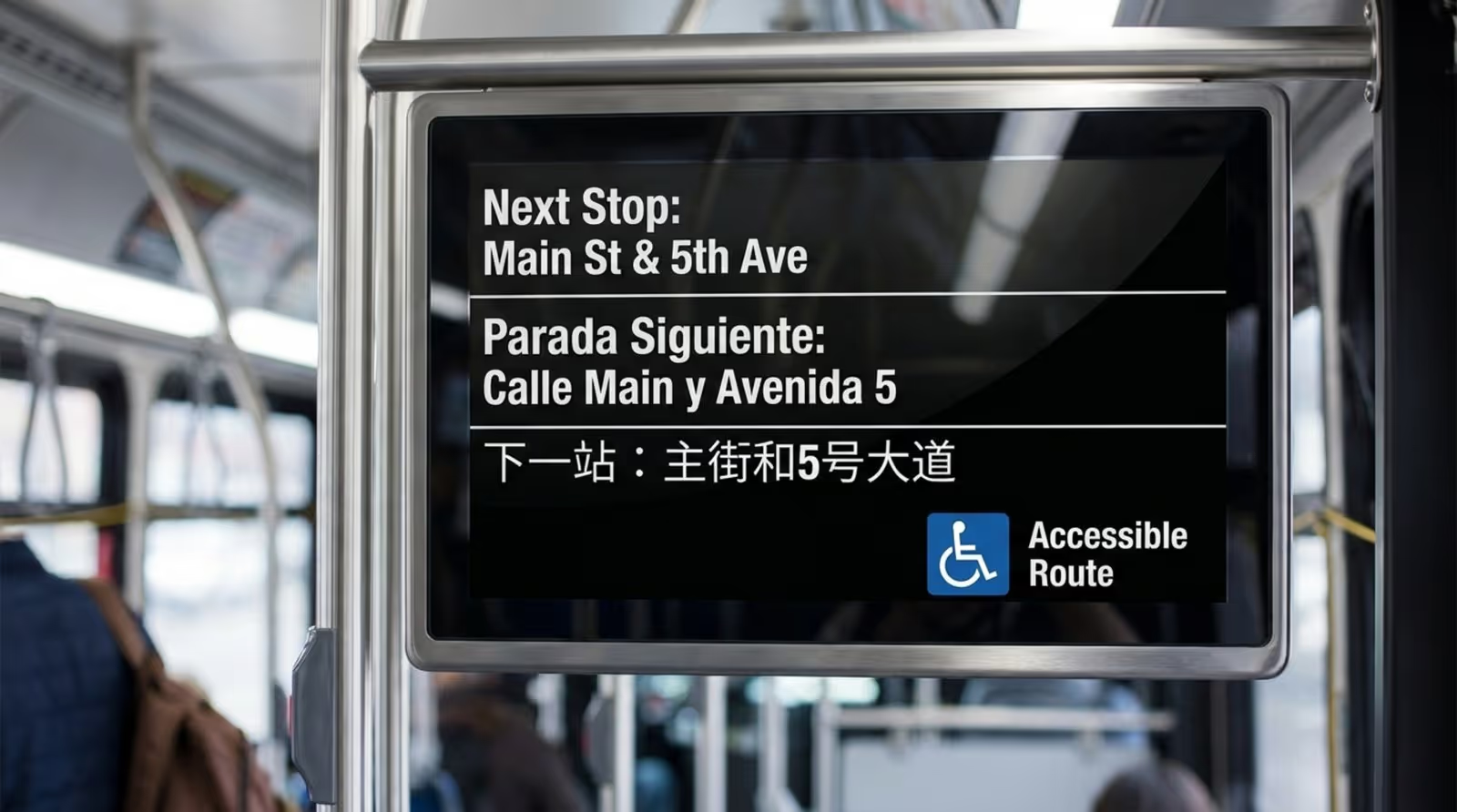
Modern cities are diverse, and your signage should reflect that. Digital screens can rotate through multiple languages, ensuring vital information reaches non-native speakers. This is a significant upgrade over printed signs, which are limited by physical space.
Digital signage also enhances accessibility. High-contrast text and clear visuals support passengers with low vision. Many systems integrate with audio announcements, ensuring that visual "next stop" alerts are paired with spoken cues, making the network usable for everyone.
Increases safety with emergency messaging
In emergencies, digital signage becomes a critical alert system. Dispatchers can override standard playlists to broadcast weather warnings, AMBER alerts, or evacuation protocols. Because buses and stops are distributed throughout the city, they act as a massive notification network.
Day-to-day safety is also improved. Screens can display reminders to report suspicious packages or provide contact info for transit police. Well-lit digital shelters also contribute to a safer environment for passengers waiting at night.
Helps smart city integration and data sharing
Digital signage acts as a node in the smart city infrastructure. Many modern displays house sensors that collect anonymous environmental data or foot traffic metrics. Planners use this data to optimize route frequency and infrastructure planning.
Integration allows for a smoother "Mobility as a Service" (MaaS) experience. A bus stop screen might display the availability of nearby scooters or the status of connecting trains. This connectivity helps passengers make informed decisions about their entire journey.
What Are the Benefits of Bus Digital Signage?
Boosts advertising opportunities for operators and businesses
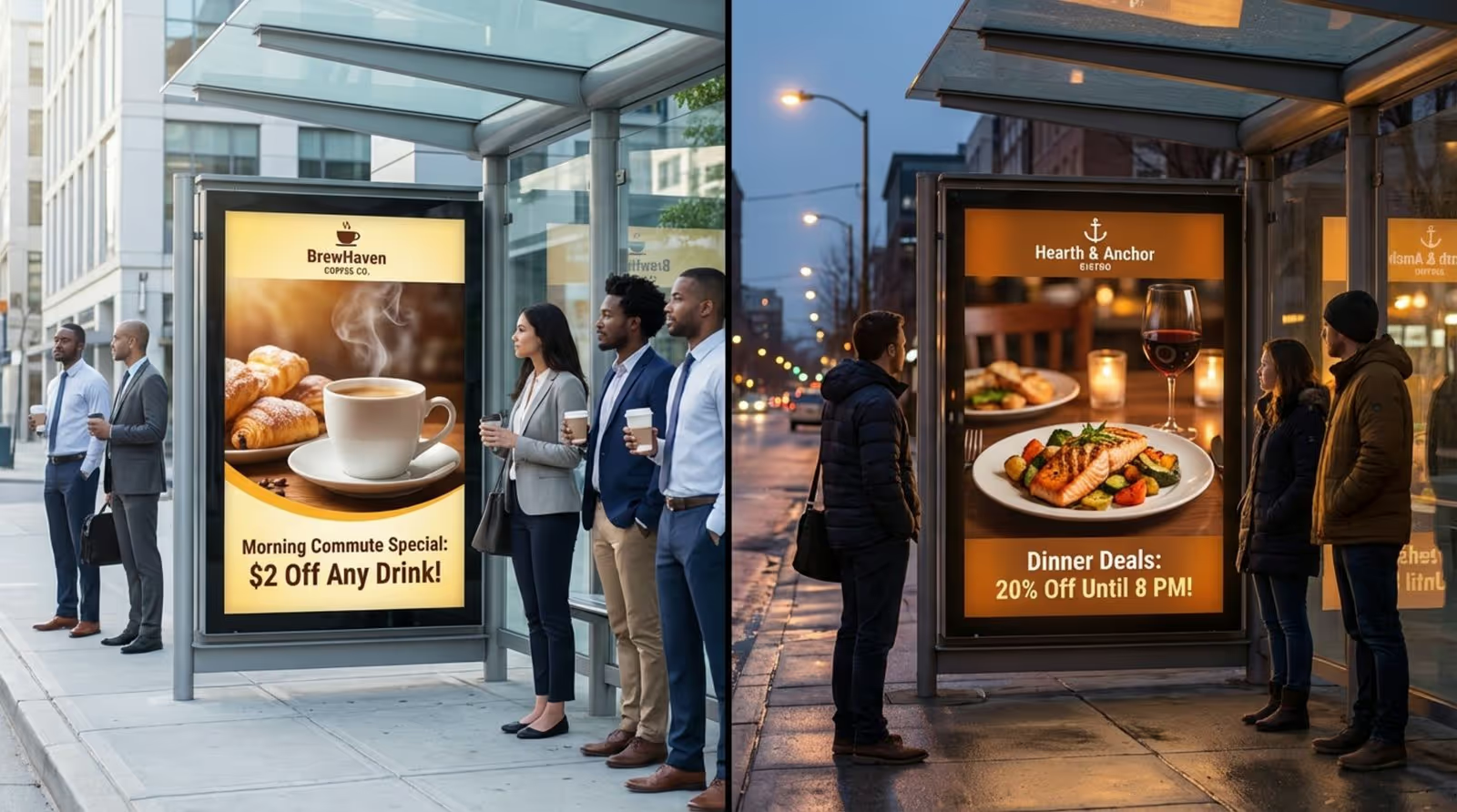
Static posters are costly to print and impossible to track. Digital signage enables programmable advertising strategies. Using smart scheduling features in platforms like Look CMS, you can set ads to run at specific times of day-promoting coffee in the morning and dinner specials in the evening.
Location-based triggering offers even more value. A restaurant can purchase ad space that triggers only when the bus is within a mile of their location. This relevance increases engagement and makes the ad inventory more valuable to local businesses.
Increases transit agency revenue streams
For agencies facing budget constraints, digital signage offers a path to reliable revenue. Rotating ad slots allow you to serve multiple advertisers on a single screen, maximizing the yield per square foot. Revenue generated can offset operational costs or fund fleet improvements.
Agencies can also partner with municipal departments. Screens can display sponsored community messages or health campaigns, balancing revenue generation with public service.
Improves communication and public engagement
Digital screens give transit agencies a voice. You can use them to humanize your service by highlighting staff achievements, sharing city trivia, or gathering feedback via QR codes. This builds a connection with riders, transforming a commute into a community experience.
It also simplifies change management. If fares or routes are updating, you can run explanatory videos weeks in advance. This proactive communication reduces confusion and lowers the burden on customer service staff.
Reduces perceived wait times and offers entertainment
Occupied time feels shorter than unoccupied time. Infotainment-such as news tickers, weather widgets, or trivia-keeps passengers engaged while they wait. A ten-minute wait feels significantly shorter when there is relevant content to watch.
On longer routes, this is even more impactful. A well-curated mix of content can turn a tedious commute into a chance to catch up on daily news. For operators, this leads to higher passenger satisfaction scores and fewer complaints.
Saves operational time and reduces costs
While the initial hardware investment is higher than paper, the long-term ROI is clear. Digital signage eliminates the need to manually replace paper schedules at hundreds of stops. Updates are published remotely in minutes, saving fuel and labor hours.
Digital management also improves maintenance. Remote monitoring tools allow IT teams to check device status without a site visit. You can reboot a player or troubleshoot a connection issue from your desk, ensuring high uptime.
Main Use Cases for Bus Digital Signage
Public information displays: real-time arrivals and route updates
The primary use case is Real-Time Passenger Information (RTPI). By integrating with your vehicle location data, screens display accurate arrival times. This transparency is essential for modern transit reliability.
Occupancy indicators are increasingly common. Letting riders know if an approaching bus is "standing room only" helps them decide whether to board or wait for the next one, smoothing out passenger loads.
Advertising campaigns for brands and local businesses
Bus signage provides a powerful Digital Out-of-Home (DOOH) channel. Unlike online ads, these displays are unskippable and situated in high-traffic areas. Look Digital Signage supports this with proof-of-play reports, allowing you to provide advertisers with detailed logs of exactly when and where their content appeared.
Triggered content is highly effective here. An ad for umbrellas can automatically trigger when weather widgets report rain. This contextual relevance drives higher engagement rates.

System-wide emergency notifications
Speed is vital during a crisis. Digital signage allows you to push urgent messages to every screen in the network instantly. Visual alerts are particularly important in noisy environments where audio announcements might be missed.
Geo-targeting allows for precision. If a specific neighborhood is affected by a utility issue, you can target alerts only to stops in that zone, keeping the information relevant to the affected riders.
Interactive wayfinding and trip planning
Touchscreen kiosks at major hubs act as self-service concierges. Passengers can plan complex trips involving transfers and different modes of transport. Interactive elements allow users to explore the map at their own pace.
QR code integration bridges the gap between the kiosk and the smartphone. After planning a route, a user can scan a code to take the directions with them, ensuring they stay on track after leaving the station.
Onboard entertainment and infotainment
Onboard screens often mix operational info with light entertainment. Using apps and widgets within your digital signage software, you can display RSS news feeds, sports scores, or social media walls. This creates a more pleasant environment on board.
Local culture can also be highlighted. Promoting local art, theater events, or museum exhibits enriches the ride and supports the local economy.
Which Industries and Organizations Benefit from Bus Digital Signage?
Public transportation authorities and agencies
Transit agencies see the most immediate benefit. Digital signage solves the core challenge of communicating effectively with thousands of riders simultaneously. It modernizes the fleet's image and provides the data needed to justify public funding and improve operations.
Local businesses and advertising partners
For local businesses, bus signage offers hyper-local marketing. It reaches potential customers who are physically near the store or service. Small businesses can access affordable, targeted ad slots that were previously out of reach.
Tourism boards and travel companies
Tourism boards utilize bus signage to guide visitors. Screens can highlight attractions along the route, effectively acting as a digital tour guide. This reduces anxiety for tourists and encourages exploration of the city.

What Should You Consider Before Deploying Bus Digital Signage?
Hardware and environmental compatibility
Transit environments are harsh. You must select hardware with appropriate IP ratings to handle dust and moisture. For outdoor shelters, high-brightness screens are necessary to remain readable in direct sunlight.
Inside the bus, players must be vibration-resistant. The Look HDMI Player is a strong option here-it is a compact, plug-and-play device designed for reliable performance and easy setup, making it ideal for vehicle deployments.
Network connectivity and data transmission needs
Connectivity on the move is never 100% stable. Your software must handle this gracefully. Look Digital Signage ensures offline playback, caching content locally on the player. This means if the 4G signal drops, your screens continue running perfectly, re-syncing data once the connection returns.
Content strategy and audience targeting
Avoid the "set and forget" trap. A successful deployment requires fresh, relevant content. Use templates to quickly create professional layouts without needing a designer. A good CMS allows you to schedule different playlists for morning rush hour versus late-night service, ensuring relevance.
Maintenance, support, and scalability
Plan for growth from day one. Managing five screens is simple; managing 500 requires robust software. Choose a platform that allows you to scale from a single pilot bus to a full fleet effortlessly, with remote management tools to handle updates and troubleshooting without sending a technician to the vehicle.
Best Practices for Implementing Bus Digital Signage
Keeping system reliability and uptime high
Reliability builds trust. Aim for maximum uptime by using commercial-grade hardware and software with offline capabilities. Configure your players to default to a branded "Welcome" image or static schedule if data feeds are interrupted, rather than displaying error messages.
Integrating with existing transit systems
Your signage shouldn't exist in a silo. Integrate it with GTFS data feeds to ensure arrival times on screens match your mobile app. Look DS supports integrations via API and Zapier, allowing you to connect your screens to internal data sources for automated updates.
Measuring and analyzing performance
Use data to improve your strategy. Playback analytics help you understand network performance and verify ad delivery. Combining this technical data with rider feedback surveys helps you fine-tune the content mix for the best passenger experience.
What Is the Future of Bus Digital Signage?
Advances in real-time data and AI-driven content
AI is making signage smarter. Tools like the Look AI Wizard already help teams generate content layouts in seconds. In the future, AI will analyze traffic patterns to provide predictive delay warnings, offering riders a more honest and useful ETA.
Integration with mobile and IoT devices
The boundary between public screens and personal phones is blurring. Future integrations may allow riders to "cast" a route from a kiosk to their phone via NFC. This creates a seamless handover of information.
Role in smart cities and sustainable mobility
Sustainability is driving innovation. Solar-powered E-ink displays are expanding reach to off-grid stops. As transit becomes more demand-responsive, digital signage will play a key role in connecting riders with automated shuttles and flexible transport options.
Key Takeaways About Bus Digital Signage: Benefits and Use Cases
Bus digital signage is moving toward a more integrated, data-driven future. It is shifting from simple schedule display to managing the entire passenger journey. As screens become standard in transit, they offer a powerful way to connect riders with their city. For agencies, the path forward is clear: start with a reliable, cloud-based platform, ensure your hardware is ready for the road, and use data to keep your content fresh and relevant.